Use case
Convert image text to editable PPTX
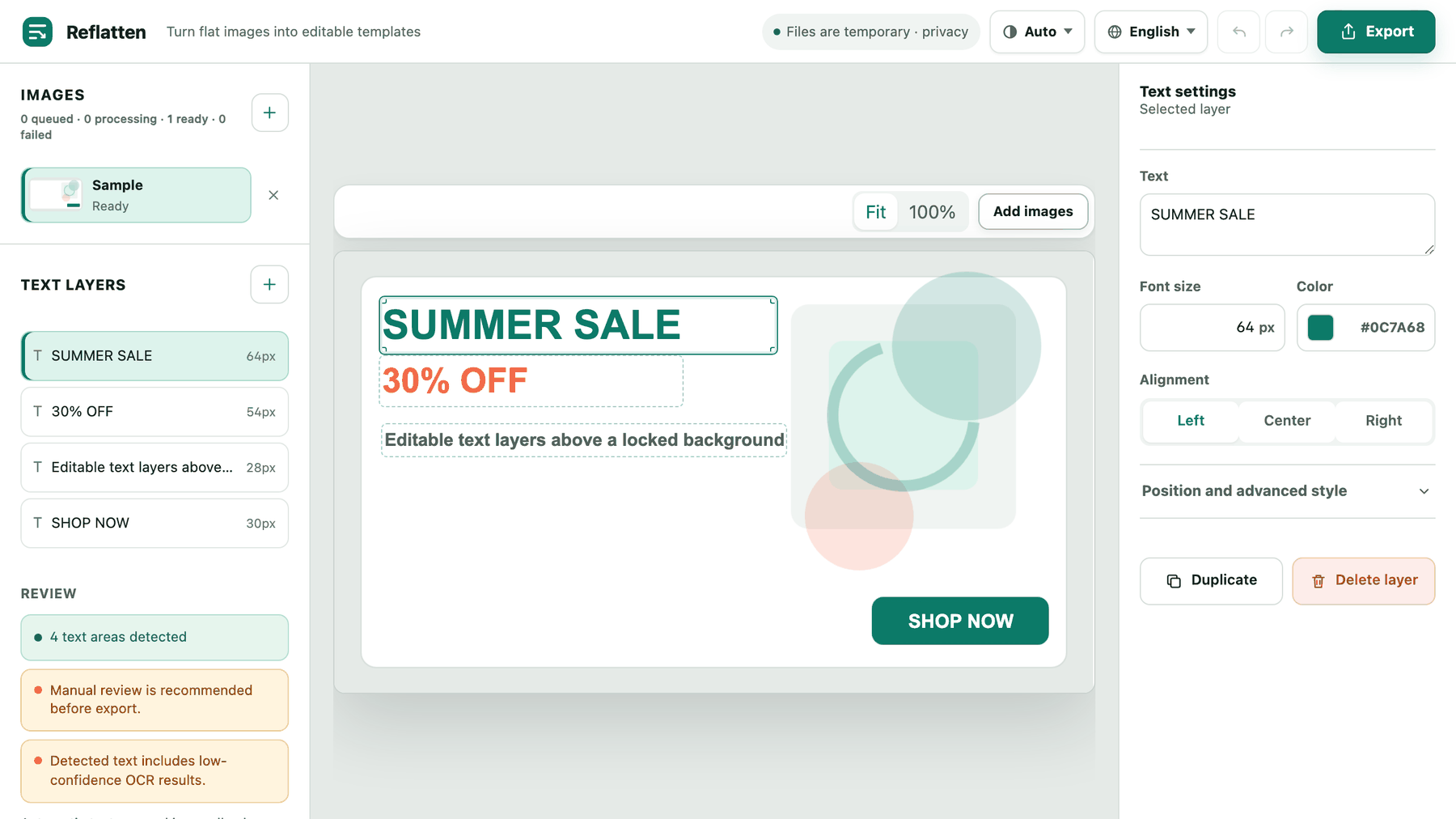
What the conversion does
- Reads the text out of the picture
OCR runs on the upload and returns one layer per line, with the position, measured font size and sampled colour already filled in.
- Keeps the artwork as the slide background
The uploaded image becomes the slide picture. Logos, gradients and photography stay exactly as they were, because nothing about them is regenerated.
- Writes each line as a PowerPoint text box
Every layer is exported as a real text box, so the deck opens in PowerPoint or Keynote with the wording selectable and editable.
Background locked by default
The background picture is locked when the deck opens, so dragging a headline cannot nudge the artwork out of place. Turn the toggle off before exporting if you want it selectable.
One slide or the whole batch
Export just the image you are looking at, or every image that finished processing as one deck. PowerPoint uses a single slide size per file, so mixed aspect ratios are centred inside the first image's ratio.
Assembled in the browser
The PPTX is built on your machine from what is already on the canvas. Nothing is uploaded again at export time.
Before you rely on it
- Is the text really editable in PowerPoint?
- Yes. Each detected line becomes a normal text box, so you can retype it, change the font or move it. Font matching is an approximation: Reflatten measures the size and samples the colour, but it cannot recover the exact typeface from a flattened image.
- What happens to text I do not edit?
- It stays visible as part of the background picture, and the text box sits on top of it. That is why the editor warns you to review detection before exporting — an unapplied layer can read as doubled text.
- How accurate is the detection?
- Good on flat, high-contrast layouts like promotional slides. The review panel flags low-confidence results explicitly, and small or heavily stylised type is where it misses most often. Check the layer list against the image before you export.