Workflow
How Reflatten turns images into editable templates
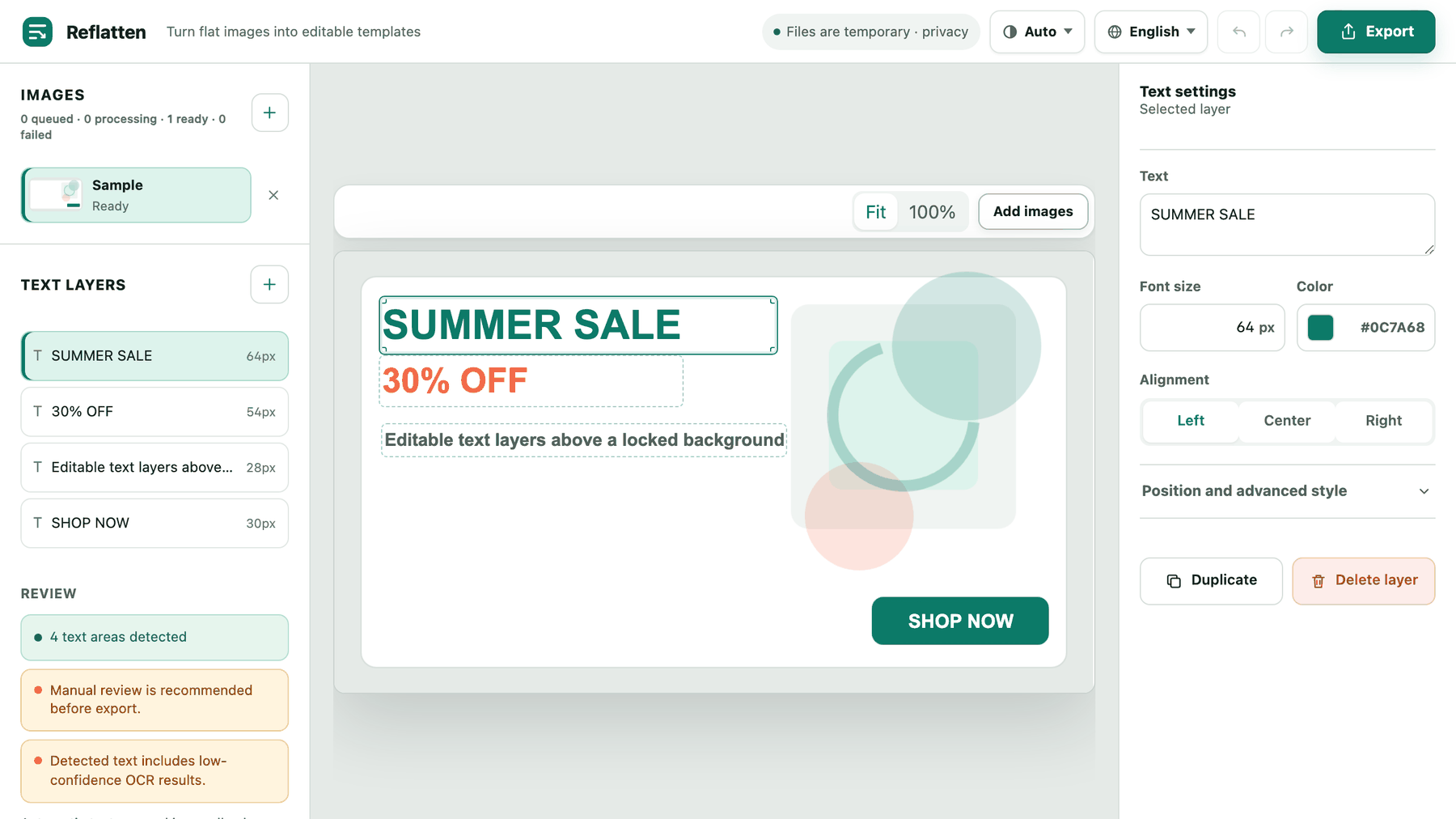
The four stages
- Upload
Up to eight PNG, JPG or WebP images at a time, each within a size and pixel ceiling. There is no account and nothing to log into; the header states that files are temporary while you work.
- Detect
OCR finds the text areas and turns each line into a layer, mapped back to the original pixel dimensions. Position, measured font size and sampled colour are filled in for you. The first upload after an idle period is slower because the models load first.
- Review and edit
The review panel reports how many areas were found and flags low-confidence reads before they reach an export. Selecting a layer opens its text, size, colour, alignment and position controls, and edits are undoable.
- Export
PNG for a finished flat image, PPTX for a deck whose text boxes stay editable. Both are assembled in your browser from what is already on the canvas.
Two ways out
The same canvas produces either a finished picture or an editable document. Both list how many layers they are applying, and both state that detected areas you never applied are left as the original pixels.
Nothing is kept
No accounts, no saved projects, no gallery. Uploads exist for the length of the job and the work lives in the tab you have open, so export before you close it.
Export never re-uploads
Both formats are built on your machine from the canvas you are looking at. The export step sends nothing back to the server.
It tells you when it is unsure
Rather than presenting detection as finished, the editor reports low-confidence reads and says that automatic text removal can need a touch-up. Reviewing before export is part of the workflow, not an optional extra.
What it does not do
- Does it recover the original fonts?
- No. Size and colour are measured from the pixels, but a typeface cannot be recovered from a flattened image. The replacement is a close match, which is why short factual edits hold up better than rewriting a whole layout.
- Does it work on any image?
- It is built for flat, high-contrast layouts — banners, thumbnails, flyers, slide screenshots. Photographs of text, heavy textures and very small type are where detection misses and where clearing the old text can leave a mark.
- Can I edit the artwork itself?
- No. Reflatten only touches text. Illustrations, photography and backgrounds are carried through untouched, apart from the areas cleared where you replaced wording.
- Is it free?
- Yes, with no sign-up. Upload limits exist to keep it that way: eight images per batch and a ceiling on file size and pixels.